
Google AdSense Rejected – How To Fix Account Not Approved in 2026
Web Development Insights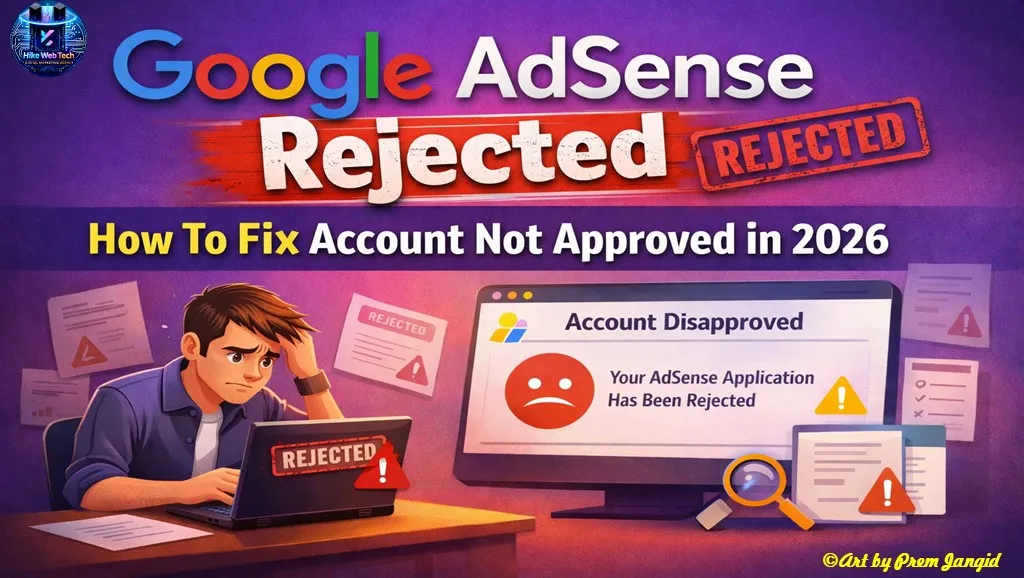
What Does “Google AdSense Account Not Approved” Mean?
When you apply for Google AdSense using your Blogger website and see the message “Your account was not approved”, it usually means there is a problem with your AdSense account, not with your website. If your site had issues, Google would clearly mention reasons like low-value content, policy violation, or navigation problems. This specific message appears when Google finds something suspicious at the account level.
Many Blogger users panic and start changing themes or rewriting posts, but that does not help in this case. Until you fix the account-level issue, even a perfectly designed website with good content will not get AdSense approval.
Difference Between Account-Level Issues and Website-Level Issues
Account-level issues are related to your personal and identity details. These include your mobile number, recovery email, payee name, address, and past AdSense history. If Google feels that your identity is linked to another AdSense account, it rejects the application immediately.
Website-level issues, on the other hand, are related to content quality, design, navigation, and policy compliance. The “account not approved” error clearly indicates that your problem is not your Blogger website, but your AdSense account setup.
The Most Common Problem for Blogger Users: Duplicate AdSense Account
Google allows only one AdSense account per person. If Google suspects that you already had an AdSense account in the past, it will not approve a new one. This rule is very strict and applies to all publishers.
Blogger users often create multiple Gmail accounts using the same personal details. When they apply for AdSense again, Google matches these details and marks the account as duplicate, which leads to rejection.
Common Google AdSense approval mistakes Blogger users should avoid
How Google Detects Duplicate AdSense Accounts
Google does not rely only on your email address. It checks multiple identity signals such as your mobile number, recovery email, address, device history, and account activity.
If any of these details match with a previous AdSense account, Google considers it a duplicate. That is why simply creating a new Gmail account does not guarantee AdSense approval.
Why Mobile Number Causes AdSense Rejection
Your mobile number is one of the strongest identity signals for Google. Once a phone number is added to a Google account, it becomes permanently linked to that account.
If the same mobile number is used in another Google account and AdSense is applied again, Google automatically connects both accounts. This is the most common reason Blogger users face the “Your account was not approved” error.
Role of Recovery Email and Recovery Phone Number
Many users change their main mobile number but forget about recovery details. Recovery email and recovery phone number are also tracked by Google.
If these recovery details are linked to any old or terminated AdSense account, Google may still reject your application. That is why all recovery information must be fresh and unused.
How to Fix Duplicate AdSense Account Error (Step-by-Step)
To fix this issue, go to Manage Your Google Account, then open the Personal Info section. Replace your existing mobile number with a completely fresh number that has never been used with any AdSense account.
Also update your recovery email and recovery phone number. Once all identity signals are clean, Google can recognize your account as a genuine new applicant.
Why Content Quality Matters for Blogger Websites
After fixing account-level issues, Google reviews your Blogger website. If your blog has very few posts or thin content, AdSense approval may still fail.
A Blogger website should have at least 15–20 high-quality posts. Each post should be informative, helpful, and written for users, not just for search engines.
What Is Low-Value Content on Blogger Blogs?
Low-value content does not mean copied content only. Even original content can be low-value if it does not fully answer user questions.
Short articles with no depth, poor formatting, or repeated information are considered low-value. Google wants blogs that provide real value to readers.
Importance of Website Navigation on Blogger
Website navigation plays a big role in AdSense approval. If users cannot easily move from one page to another, Google considers it poor user experience.
Make sure your Blogger website has a clear menu, working links, and a mobile-friendly layout. This improves both user trust and AdSense approval chances.
Mandatory Pages Required for AdSense Approval
Every Blogger website should have these pages:
-
About Us
-
Contact Us
-
Privacy Policy
These pages show Google that your website is genuine and managed by a real person. Missing these pages often leads to rejection.
Is Traffic Required for AdSense Approval?
Google does not officially require traffic, but having some organic visitors helps. Blogs with zero traffic often look inactive or low-trust.
Avoid fake or paid traffic because it can lead to rejection or even permanent AdSense bans.
Supported Language Requirement for Blogger Blogs
Google AdSense supports only specific languages. If your content is written in an unsupported language, your application may be rejected.
Always publish content in supported languages like English or Hindi for better approval chances.
How to Re-Apply for AdSense After Fixing Issues
Once you fix your account details and website problems, go back to your AdSense dashboard. Click Confirm, then Resubmit your application.
After that, connect your Blogger website and send it for review. Google will re-evaluate your account.
How Long Does AdSense Approval Take?
AdSense review usually takes a few days to up to two weeks. During this time, avoid making major changes to your website.
Continue publishing quality content and keep your website clean and compliant with policies.
Google AdSense account approval policy explained by Google
If your Blogger website shows “Google AdSense account not approved”, do not panic. In most cases, the issue is related to duplicate account signals, mobile number reuse, or recovery details.
By fixing these account-level problems and maintaining high-quality content with proper pages, your chances of getting AdSense approval increase significantly.












Leave Message